UltrafastWoo — a classic WooCommerce theme
One theme.
Every storefront.
Every colour, every shade and the display face are driven from the WordPress Customizer. No child theme. No CSS. No build step. You pick a colour; the theme works out the rest — on a classic cart and checkout, so the gateway you already use keeps working.
The control panel on this page is not a picture of the product. It is the idea behind it, running: change the accent or the heading font and this page re-skins itself — the same way a store does.
Both demo stores score 100 for performance on PageSpeed Insights mobile, 500-product catalogue and all — measured 29 July 2026 on Lighthouse 13.4.1, and you can re-run it yourself on either link above · from the author of MakeWPFast and WP Multitool · founding price from $29/year.
Proof, before the pitch
The same theme, twice.
Two live stores, each running a 500-product catalogue. Identical templates, identical markup, not one line of custom CSS between them — only theme settings. Everything below is an elaboration of this one screenshot.
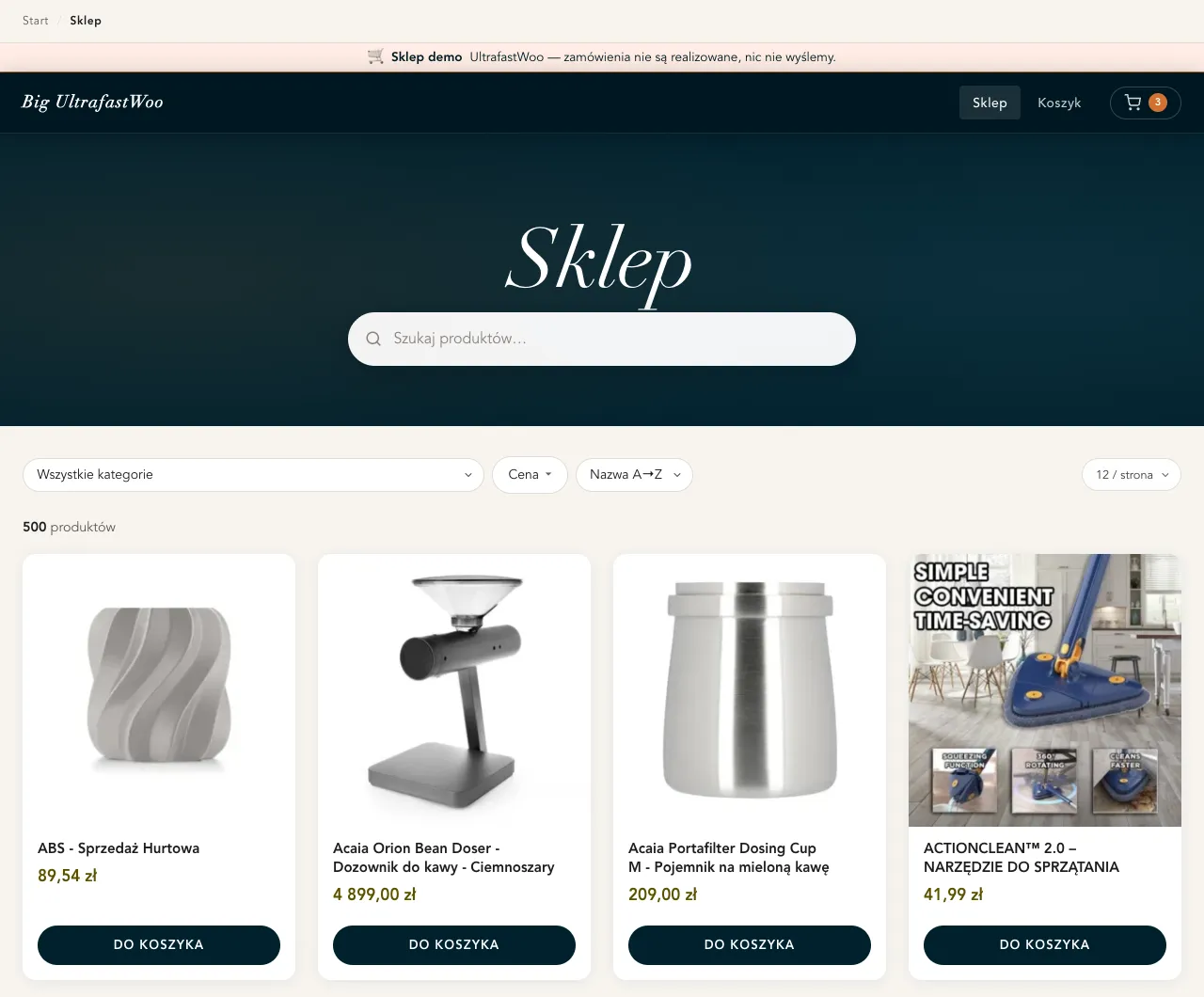
Didone headings, cream ground, orange accent. Zero settings: this is a fresh install, untouched. Open the warm demo store →
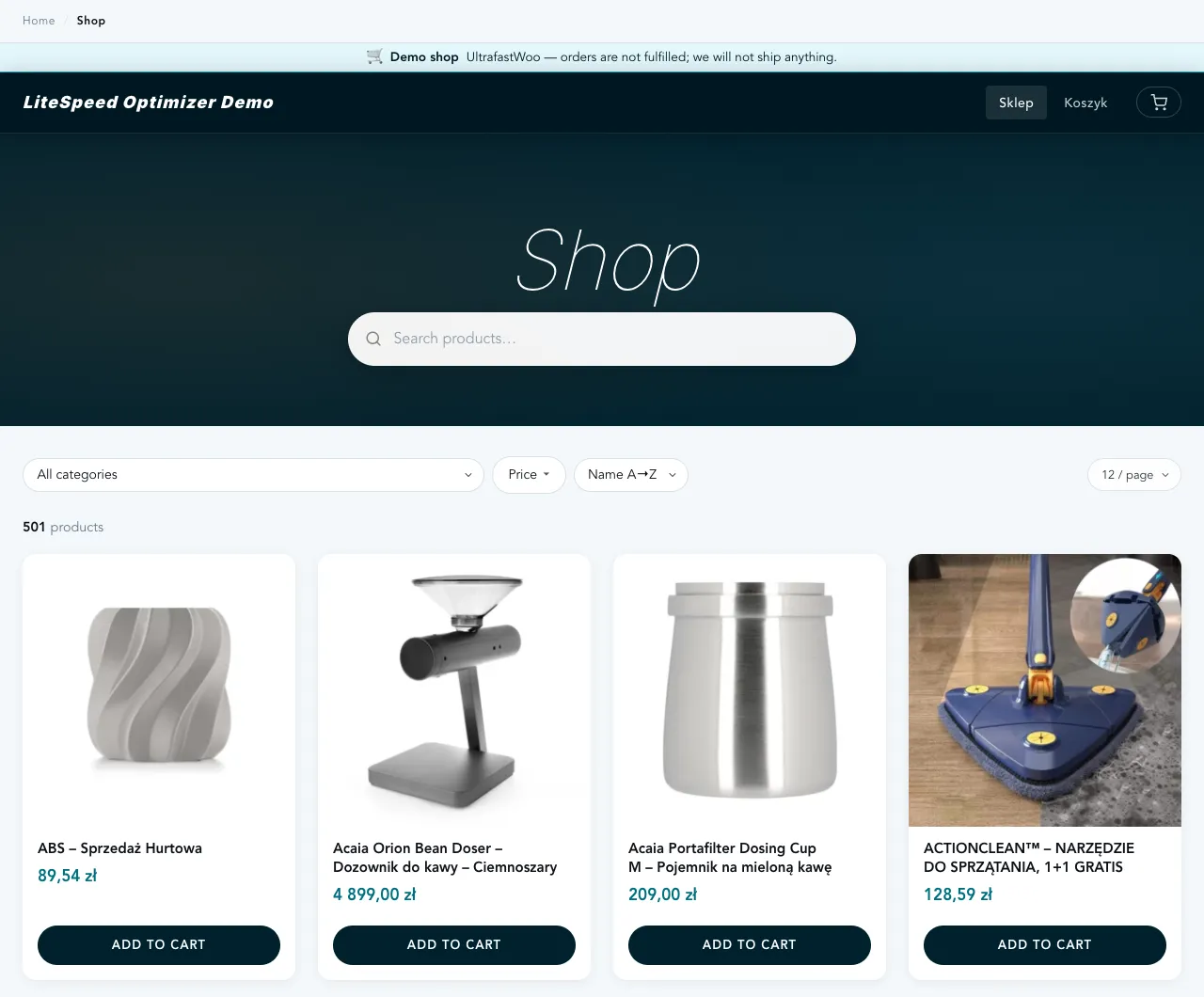
Cyan accent, cool neutrals, Inter headings. Eight colour values and one font choice, typed into the Customizer. Open the cool demo store →
The control surface
Thirteen controls, and the shades take care of themselves.
Most themes hand you an accent picker and hard-code the other forty colours into a stylesheet you're not
supposed to touch. This one exposes every colour the storefront paints with — then derives
the tints, shades and hover states from what you chose, in the browser, with color-mix().
Pick one accent and you have also picked its vivid, light, dark and ink variants: the button hover, the badge wash, the active filter pill. Twelve pickers stand in for roughly thirty custom properties.
- Accent / buttons+ 4 derived shades
- Header & footer+ 3 derived shades
- Page background+ 1 derived shade
- Body text
- Cards / surfaces
- Muted text+ 2 derived shades
- Borders & dividers
- Price
- Product image backdrop
- Success+ 3 derived shades
- Error+ 4 derived shades
- Warning+ 4 derived shades
- Heading font7 stacks, or your own
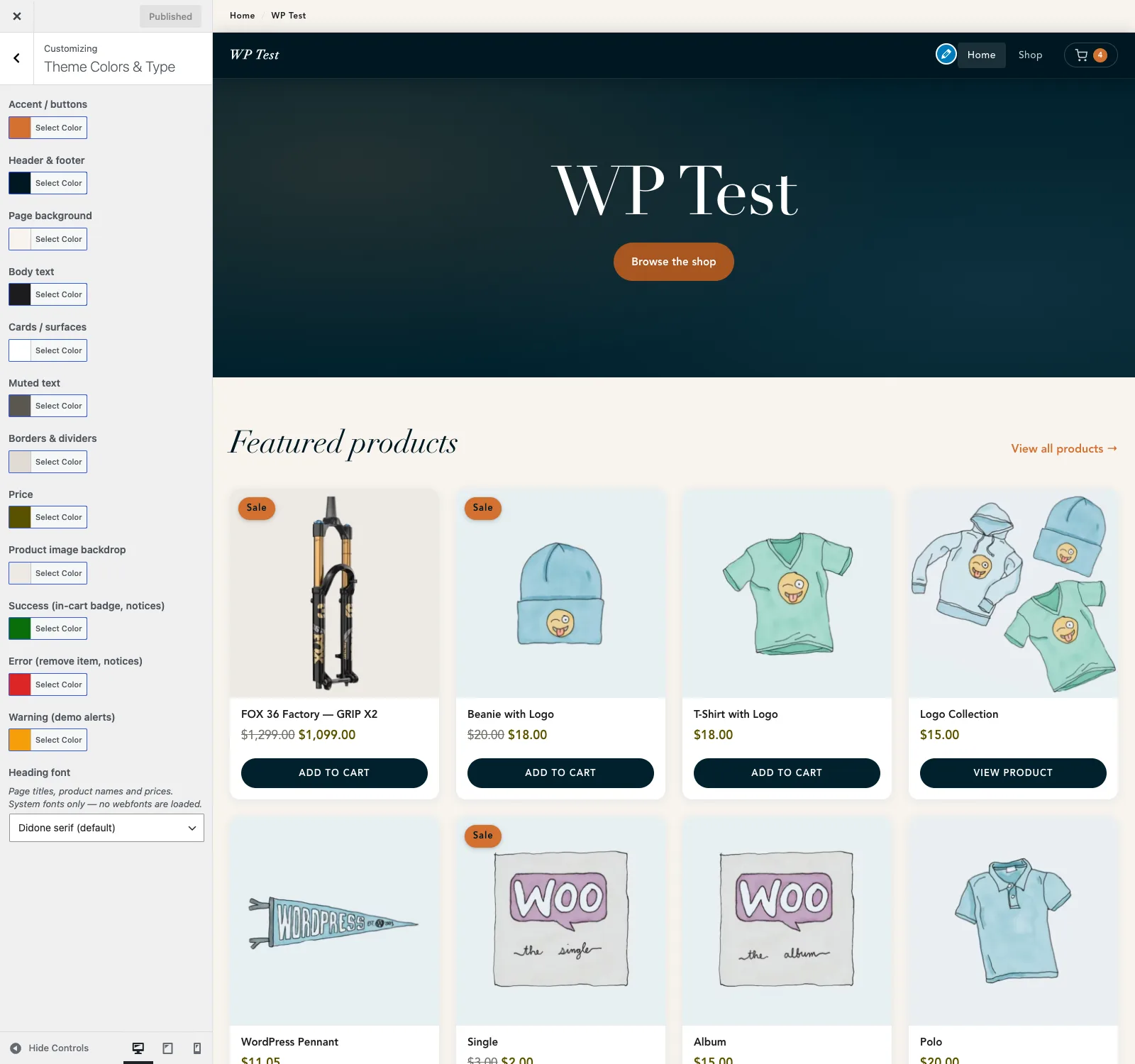
postMessage-transported, so the preview repaints as
you drag — no reload between you and the result. Touch nothing and the theme emits no override CSS
at all: a default install is byte-for-byte the theme as shipped.The storefront
What your customers actually get.
The theme ships with a companion plugin, UltrafastWoo Core, which carries the hypermedia endpoints. Together they replace the usual pile of add-ons — gallery plugin, ajax-cart plugin, search plugin, SEO plugin for the storefront.
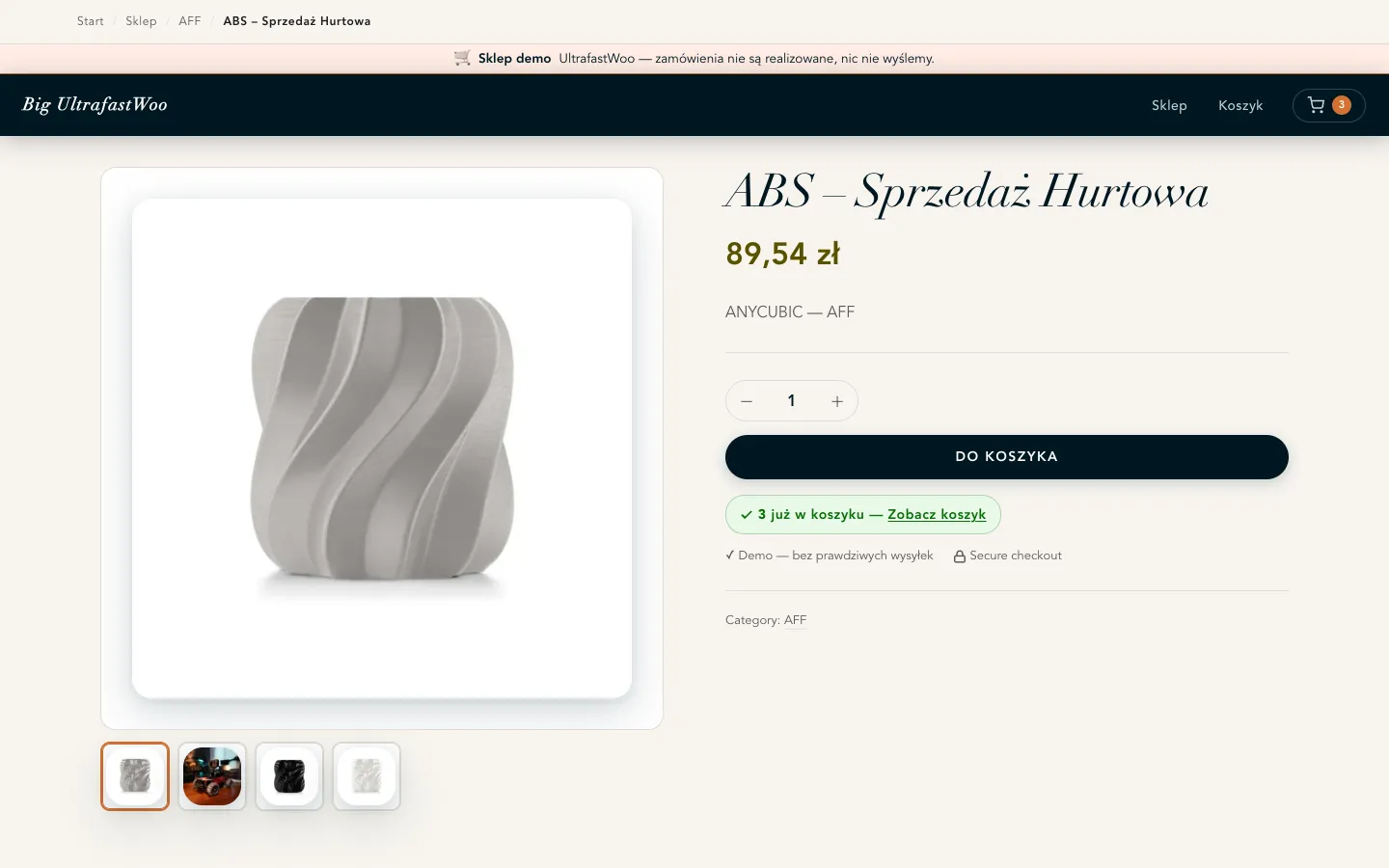
A product page with a real gallery
Multi-image gallery with thumbnail swap, a quantity stepper, and an in-cart badge that knows what's already in the basket. No gallery plugin, no jQuery.
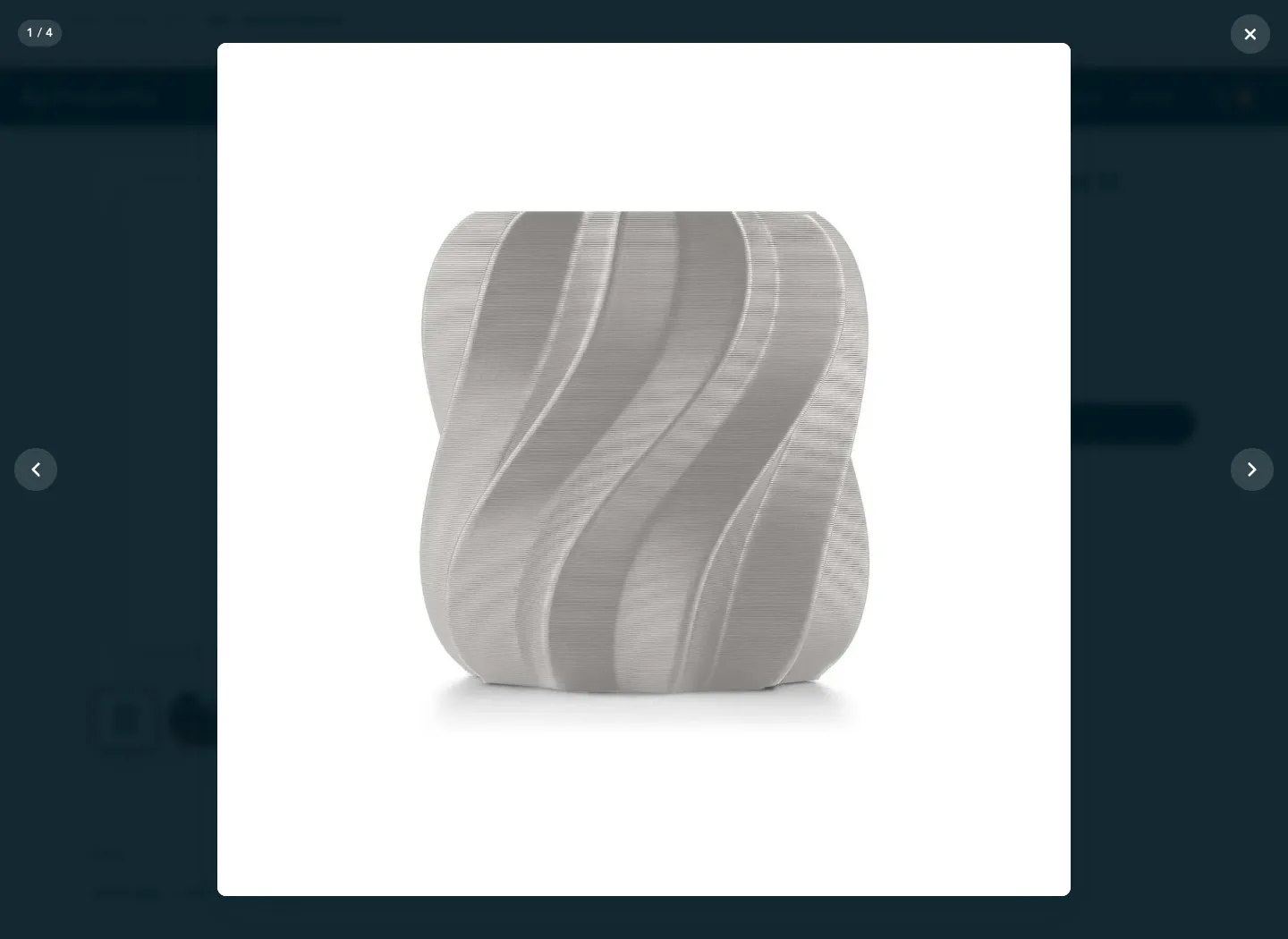
Click to zoom
A built-in lightbox with pinch and wheel zoom, drag-to-pan, arrow navigation and an image counter. It announces itself as a dialog, moves focus to the close button, and closes on Esc. Drag the image around and it stays open — which sounds obvious until you try it elsewhere.
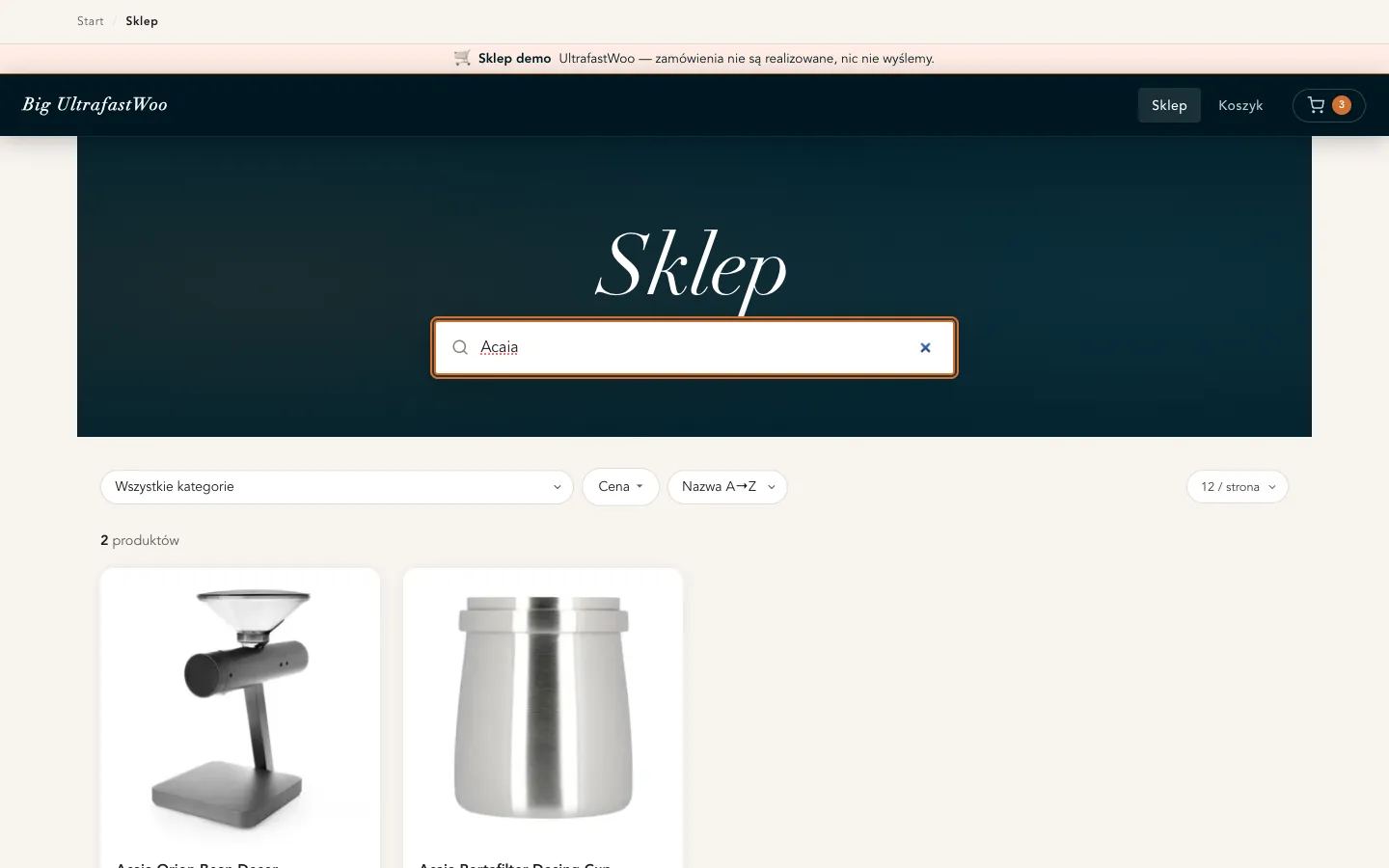
Search that finds the thing
Results stream in as the shopper types — and the index covers the SKU, the categories and the description, not just the product name. Word order doesn't matter, accents don't matter, and when an exact match comes up empty it falls back to word stems, so a shopper who types a slightly wrong form of the word still lands on the product instead of an empty shop. Category, price, in-stock, sort and per-page narrow the grid in place; the page never navigates.
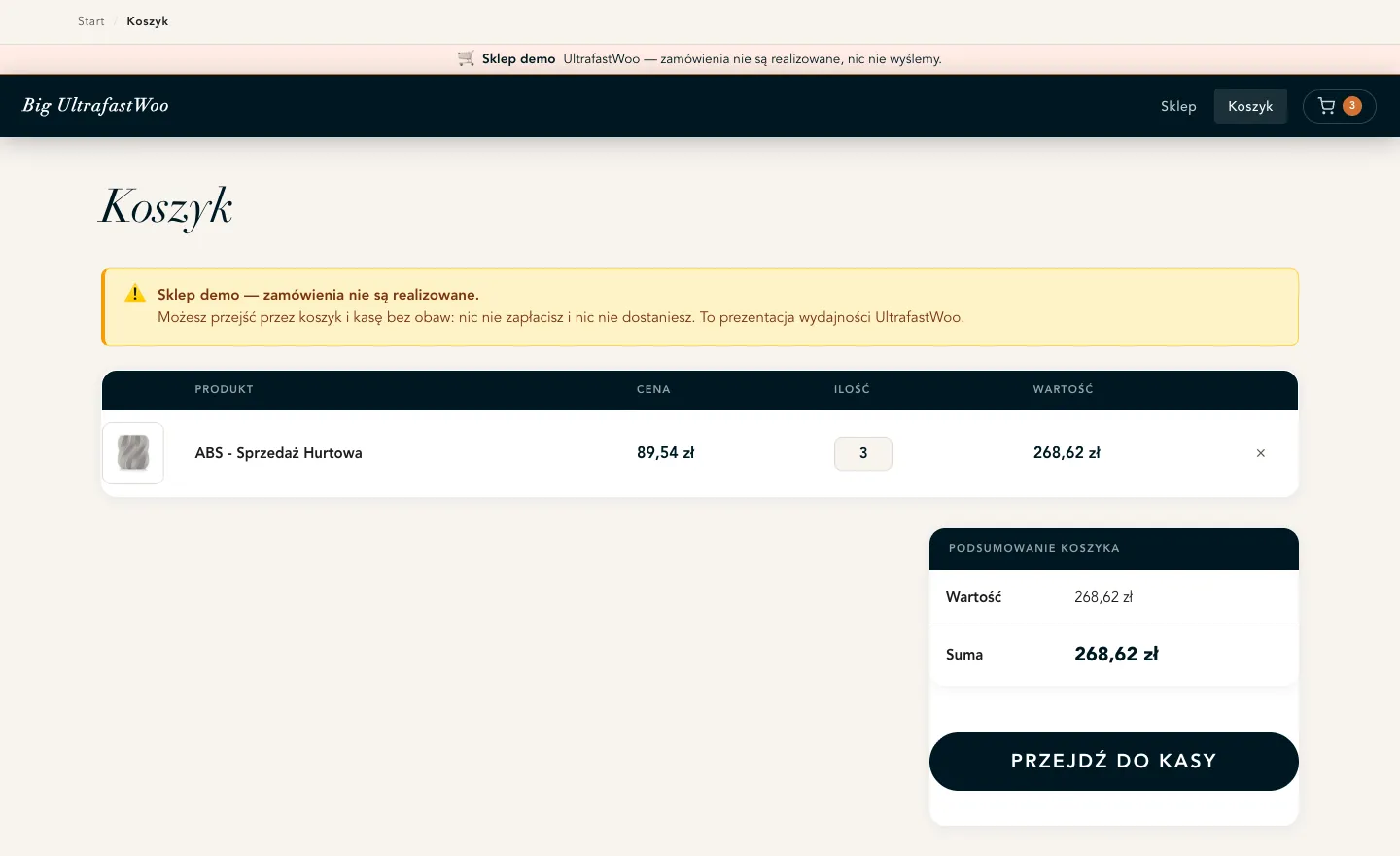
A cart that updates itself
Add, change quantity, remove a line — each is a server-sent event that patches the page in place. The header badge and the totals follow along. Checkout validates fields against the server as they're filled, not after the shopper presses Place Order.
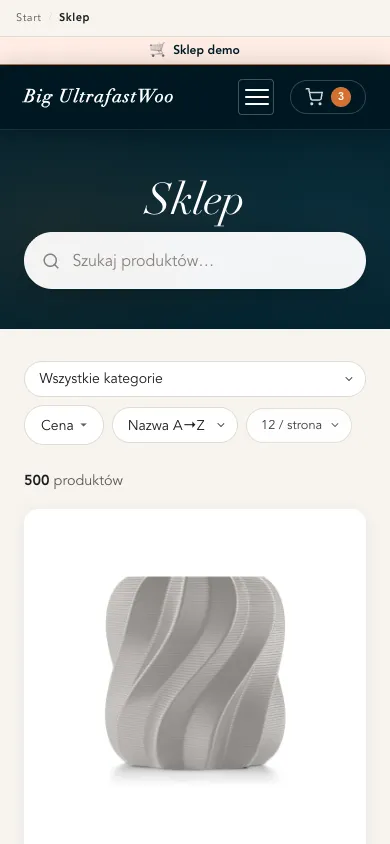
Built narrow-first
The above-the-fold CSS is extracted at a 390-pixel viewport, because that's where your customers are. Everything reflows to one column without a horizontal scrollbar in sight.
The part other themes get wrong
Classic cart. Classic checkout. On purpose.
WooCommerce's block-based cart and checkout break a great many payment gateways and checkout plugins. UltrafastWoo forces the classic cart and checkout at render time — non-destructively, so nothing in your database changes and you can turn it off with a single constant.
The result: the fast, hypermedia storefront on the front, and the boring, compatible, well-supported WooCommerce checkout your gateway was actually tested against.
Runs anywhere WooCommerce runs
Shared hosting to a tuned VPS. The two demos are on completely different stacks — one FrankenPHP, one LiteSpeed — from the same code.
SEO in the theme
Open Graph tags, canonicals and JSON-LD product schema are generated for you. No SEO plugin needed for the storefront to be machine-readable.
Translation-ready
Ships with a POT file and a complete Polish translation. The two demo stores run in different languages from identical code.
No build step
One style.css. No node_modules, nothing to compile. Edit it if you want to —
though the Customizer means you probably won't need to.
No webfonts, no jQuery
Every typeface is a system stack, so nothing is downloaded to render a heading. jQuery is dropped entirely on catalogue pages.
The usual WordPress furniture
Custom logo, a header image for the homepage hero, custom background, primary menu, widgets, featured images, selective-refresh widgets.
For the developer in the room
Constants, where you want the last word.
Everything above is a setting. These are the switches that live in wp-config.php, for the cases
the Customizer shouldn't own.
| Constant | What it decides |
|---|---|
UFW_FORCE_CLASSIC_COMMERCE | Whether the classic cart/checkout is forced over the block versions. On by default; also filterable via ufw_force_classic_commerce. |
UFW_DEMO_MODE | Turns on the demo ribbon and the "we will not ship anything" notices. For showrooms and staging. |
UFW_SEARCH_V2 | Opts into the second-generation search backend. |
UFW_REDIS_HOST | Where the optional live stock stream reads from. Falls back to WP_REDIS_HOST, then 127.0.0.1. |
A few more values are fixed constants in
the source rather than wp-config.php switches — the Open Graph image size
(UFW_OG_IMAGE_WIDTH / UFW_OG_IMAGE_HEIGHT, 1200×630), the stock cache TTL
(UFW_STOCK_TTL, one hour), the Redis port (UFW_REDIS_PORT, 6379) and the SSE mount
point (UFW_SSE_ENDPOINT, wp-html/v1). Defining those in wp-config.php
does nothing; changing them means editing the file. I'd rather say so than imply a switch that isn't there.
Who built it
Pricing
Yearly. And it still works if you stop.
An annual licence per store. You get every update and support for as long as you're subscribed — and WooCommerce changes often enough that those updates are the product. Cancel and nothing breaks: the theme keeps running on your store, you just stop getting new versions. No kill switch, no locked features, no page held hostage.
- One production store
- Theme + UltrafastWoo Core
- Updates & support while subscribed
- Keeps working if you cancel
- Five client or personal stores
- Theme + UltrafastWoo Core
- Updates & support while subscribed
- Keeps working if you cancel
- Up to 25 client stores
- Theme + UltrafastWoo Core
- Updates & priority support while subscribed
- Keeps working if you cancel
You're risking one year of one licence. The theme keeps running on your store whether or not you renew, both demos are sitting right there to click around first, and if you'd rather ask me something before you pay, the email goes to me. Checkout, VAT and receipts are handled by Polar as merchant of record.
This is early access, and I'd rather you knew what that means. Checkout is live and the theme is what you see running on both demos. What is not built yet is the automatic-update plumbing: for now you download the files after checkout and I email you when there is a new version. If that sounds like more work than you want, wait for the launch — the founding price will still be honoured for anyone who buys now.
Next
Go and click the demos. Then decide.
Add something to a basket. Type in the search. Open a product and zoom the gallery. Then open the other store and remember it is the same theme on a different stack. If you'd want this on your own shop, or your clients', the founding price is up above.
Questions before you buy? Email me — it goes to the person who wrote the theme.
Questions you'd be right to ask
The honest answers.
Do I need the companion plugin, or is the theme standalone?
You need it. UltrafastWoo Core carries the hypermedia endpoints — the cart updates, the live search, the checkout validation. The theme will render without it, but the interactive parts are in the plugin. It's included; it isn't a separate purchase.
What exactly do I get after I pay?
Your Polar receipt links to two zip files: the UltrafastWoo theme and the UltrafastWoo Core plugin. You upload them the way you'd upload any theme and plugin, then add Zero Blocks Given free from WordPress.org, which is one click from your plugin screen. There's no automatic-update mechanism yet. Until I've built it, I email subscribers the new zips whenever a version ships.
Will it work with my payment gateway?
If your gateway works with WooCommerce's classic checkout — and almost all of them do, because that's what they were built and tested against — then yes. This is precisely why the theme forces the classic checkout instead of the block one.
Do I need special hosting? FrankenPHP, Redis, a VPS?
No. It runs on any host that runs WooCommerce. The Redis-backed live stock stream is optional and off unless you configure it. The two demos deliberately sit on different stacks — FrankenPHP and LiteSpeed — to make the point that the theme doesn't care.
Is this a block theme? Will it work with the Site Editor?
No, and no — deliberately. It is a classic PHP-template theme. That is the whole point: block themes and the block checkout are where WooCommerce compatibility goes to die. If you want Full Site Editing, this is the wrong theme and I'd rather you knew now.
Can I still edit the CSS or use a child theme?
Yes. It's a single, readable style.css with no build step, and child themes work normally.
The Customizer is there so that you don't have to — not to stop you.
What about translations?
A POT file ships with the theme, and a complete Polish translation is included. The demo stores run in English and Polish off the same code.
What are the requirements?
WordPress 6.5 or newer, PHP 8.1 or newer, WooCommerce, the UltrafastWoo Core companion plugin (included),
and the free Zero Blocks Given plugin from
WordPress.org, which UltrafastWoo Core depends on. The theme itself runs on 6.4, but Core declares
Requires Plugins, and that header is a 6.5 feature.
What is Zero Blocks Given, and why do I have to install it?
It's another plugin of mine, free on WordPress.org, and it does the block-editor stripping that
UltrafastWoo Core used to carry itself. Core asks for it as a hard dependency now rather than shipping its
own copy, so you never end up with two copies fighting over the same function names. WordPress installs it
for you straight from the plugin screen; Core won't activate until it's there, and switches itself off if
you remove it later. Core pins its mode to keep-styles so forced-classic commerce keeps
working — override that with the ZEROBLG_MODE constant if you want to.
Founding pricing is grandfathered: buy now and your renewal never rises above what you paid today.